Why on earth do I find myself reading whitepapers on the NASA or ACM websites? (read more …)
[A DevLife post]
Don’t Forget: www.acehaid.org
Why on earth do I find myself reading whitepapers on the NASA or ACM websites? (read more …)
[A DevLife post]
Next Mondays VTdotNET meeting marks our 4th anniversary. I think after 4 years, I’m allowed to say that I’m very proud of this! VTdotNEt has created a real community out of the many .NET developers in Northwest Vermont. That was my ultimate goal. We also have a bevy of highly skilled .NET developers in the area, many of whom are already deploying .NET 2.0 applications. We have brought amazing speakers here month after month and definitely put the .NET developer community on the map.
I think everyone in the whole group should give themselves a pat on the back.
Mondays’ meeting is the part 2 of the VS/SQL 2005 launch, and a joint meeting with the VTSQL.org group. Since INETA and PASS were both creating these user group events, we got to do two between our two groups. So we have another 5 sets of VS2005 Pro/SQL Server 2005 Standard licenses to raffle off, certification test vouchers and some other swag. Laura Blood and Roman Rehak will be presenting. Rumor has it that Roman is going to be the demo god for the night.
Competitive Computing, who is hosting the meeting, is also providing the group with pizza and soda for the evening.
And, we will, of course, have birthday cake.
Thanks to everyone who has helped make this group be a great success!! That includes not only our members, but INETA, Thom Robbins, Joe Stagner, Russ Fustino (who encouraged me to start the group) and the many sponsors who have helped us with pizza, books and other awesome swag over the years.
Here’s to many more!
Don’t Forget: www.acehaid.org
I decided this needed it’s very own post as it is buried in another one.
I was way too eager to finally get .NET 2.0 onto my web server and missed a step and did not recognize the red flags going up trying to tell me that I missed this step.
If you are putting .NET 2.0 onto a web server already running 1.1, you need to create a separate application pool and set the app pool for .NET 1.1 apps to one of them and .NET 2.0 apps to the other one.
Most likely, if you are not creating any new 1.1 apps, you should attach the 1.1 apps to the new app pool and if you use a default app pool, let the .NET 2.0 apps own that.
Each application pool owns a different process. So I had the 1.1 and 2.0 apps running in the same process and they were really tangling with each other. I was getting Server Unavailable errors and even had a bizarre effect on a web service*.
In case you haven’t dealt explicity with application pools yet, that is a separate section in IIS. You have Application Pools Websites and Web Service Extensions. You can easily create a new application pool.
Then, in the properties of each web site you want to change, the application pool option is a drop down at the bottom of the first tab (Directory).
*That was a doozy. It was a 1.1 service that returns a DataSet comprised of 8 tables. Before returning the ds, I use XCeed stream compression to compress the stream. On the client end, I decompress and then read the stream into a new dataset. Suddenly the resulting dataset had taken two columns from the first table and created new tables out of each one. Once I figured out what was happening, I had no clue how to deal with it other than remove the compression and just return the datatable. In the end, the problem disappeared when I sorted out the App Pools!!
Don’t Forget: www.acehaid.org
I had an email today from someone asking this question. They have a web service and a client app that use WSE2 to encrypt, sign and otherwise secure their data.
However, they were able to open up the asmx file, the operation and look at raw xml data in a web browser over the web. No authentication, no encryption, no signing. I could see it, too!
What a nightmare after all of the work to secure this data.
The reason for this problem was another case of debugging tools getting deployed to the production web server. Something I tend to rant about occasionally.
In order to browse from their development machine to the web service on a remote web server, they had added
<webServices>and left them in the web.config when it was deployed to the server.
I was able to guess this pretty quickly since I once learned this the hard way, too. Sadly most of our best lessons are the ones that leave bruises. 🙂
For some more web.config tricks to hide your web service from public view as well as the wsdl, see this msdn doc on configuring web services for deployment.What do you think is going to be the most likely need for ClickOnce?
Deploying apps to anyone in the world? Not for me, I write custom apps for my client.
Deploying apps on the intranet? Sure, but we have had a very simple hack for that for a long time.
C’mon, think smart client….
Yep – deploying apps to users on the go over the web.
I need ClickOnce to work for mobile workers who need to be able to install and update their company’s custom software.
And what’s the best way to do this? You would think it was Forms Authentication. That’s what I want to use. Not all of these people have windows accounts or will be using VPN. But they do have logins to get to the company portal, fill out their timesheets online, etc. Additionally, we are already using web services as the back end to their smart-client applications so that they can do their work over HTTP.
But guess what – sure I have had two years to discover this, but I am just coming up for air on this one now – Forms Authentication is not supported for Click Once. See this msdn document.
Their suggestion? Just let anyone in the whole world download your client’s application and then use web service based authentication (which I just happen to already have built into this smart client app) to make sure they can’t use it.
No no no no no. I do not think this would make my client very happy at all.
So I am struggling wtih hacking this together. The forms authentication works just great for accessing the installation page, but setup.exe and myapp.application are not protected by forms authentication. Anyone can browse right to them.
Next step is to feed them to ISAPI for this web app, which for some reason I can’t get to work yet.
I’m sure there have already been many discussions and rants about this problem but I have been focused on other things and am pretty late to the game.
Web deployment has become my a#1 pet peeve with .NET. I have been trying to use it since it was called zero touch deployment. ClickOnce is supposed to be my savior and I have ported their app to VS2005 just for ClickOnce. I won’t give up, but I might have to rant and rave every so often as I get this to work for me.
Don’t Forget: www.acehaid.org
I put .NET 2.0 on my client’s web server the other day. Both 2.0 and 1.1 asp.net apps continued to run just fine.
Last night I was mucking with some of the mappings in .NET 2.0 and they weren’t taking. So I did an iisreset. Here’s where that led me (to the best of my recollection)
Most of the above problems could have probably been avoided if I used some of the other available parameters for aspnet_regiis, such as -sn for fixing the mappings on just one application.
Update, though using the -sn was a good thing, the root of the problem (thanks to some reminders in the comments) was that I had neglected to create a separate Application Pool for the .net 2.0 websites. They were running in the same process as the asp.net 1.1 sites. So far, everyone has been behaving properly.
Don’t Forget: www.acehaid.org
CAS is confusing! Mike Downen’s MSDN Mag article about CAS in 2.0 is really an excellent explanation of CAS along with some great info on what’s new in 2.0 as well. [read more …]
[A DevLife post]
Don’t Forget: www.acehaid.org
One of the big factors that drew us to move to Vermont in 1999 was the skiing. We can ski out our back door to the back country or drive 7 miles to our favorite lift-serve ski area: Mad River Glen.
But what is this?
I took this on Jan 21 out my front window
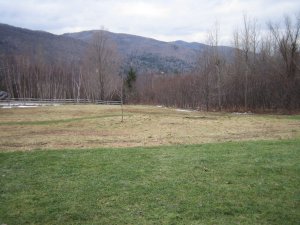
and this one I took 5 minutes ago
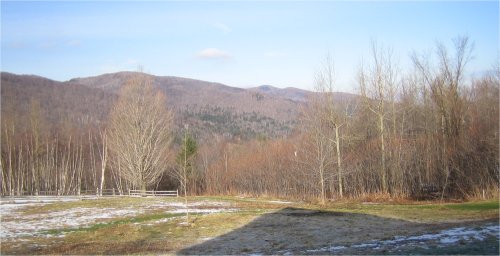
Congratulations to the Windows Live Local team on being selected for an Editors Choice Award by PC Magazine!!
I had to laugh when I saw the screen shot in the PC Mag article. One of the tags is for Ft. Green Park in Brooklyn. In a former life (my 20’s) I lived 1/2 block from that park.
(add’l plug for the WLL team: Want to join this “winning team”? They are hiring!!)
Now here’s a guy about whom I can literally say “I knew him when.”
I knew Ken Levy when he was a wee lad (a teen) who had written the most popular add-in for professional FoxPro developers everywhere – GenScrnX!
This was so long ago that rather than an email, Ken used an ID of 76350,2610. Yep, Compuserve.
Ken, along with YAG, has been doing great things at Microsoft for a whole lotta years now. But now Ken is straying from the fold and got lured over to Windows Live.